Custom link previews & Open Graph editorCustomize the preview—even when the link isn’t yours.
Choose the image, title, and description for the Prelinq link you share. Send visitors to the original page without needing access to its website.
Preview on Generic
Prelinq
Create beautiful social preview links to any site in seconds, even if you don't own it.
The difference
Don't leave your first impression to chance.
The same destination, with an image and message chosen for your audience. Illustrative example.
example.com
Home Office Collection | Example Store
Explore furniture and accessories for your home office. Browse our latest collection.
- ✕Wrong or missing image
- ✕Generic, copy-pasted title
- ✕Looks unprofessional
- ✕Product details get lost
Example Store
A desk that fits your workday.
Home office collection
prelinq.com
Meet the Adjustable Standing Desk
Explore the adjustable desk in our home office collection. See product details and available finishes.
- ✓Eye-catching custom image
- ✓Clear, product-specific headline
- ✓Consistent branding
- ✓A clearer reason to visit
How it works
Build the preview before you share.
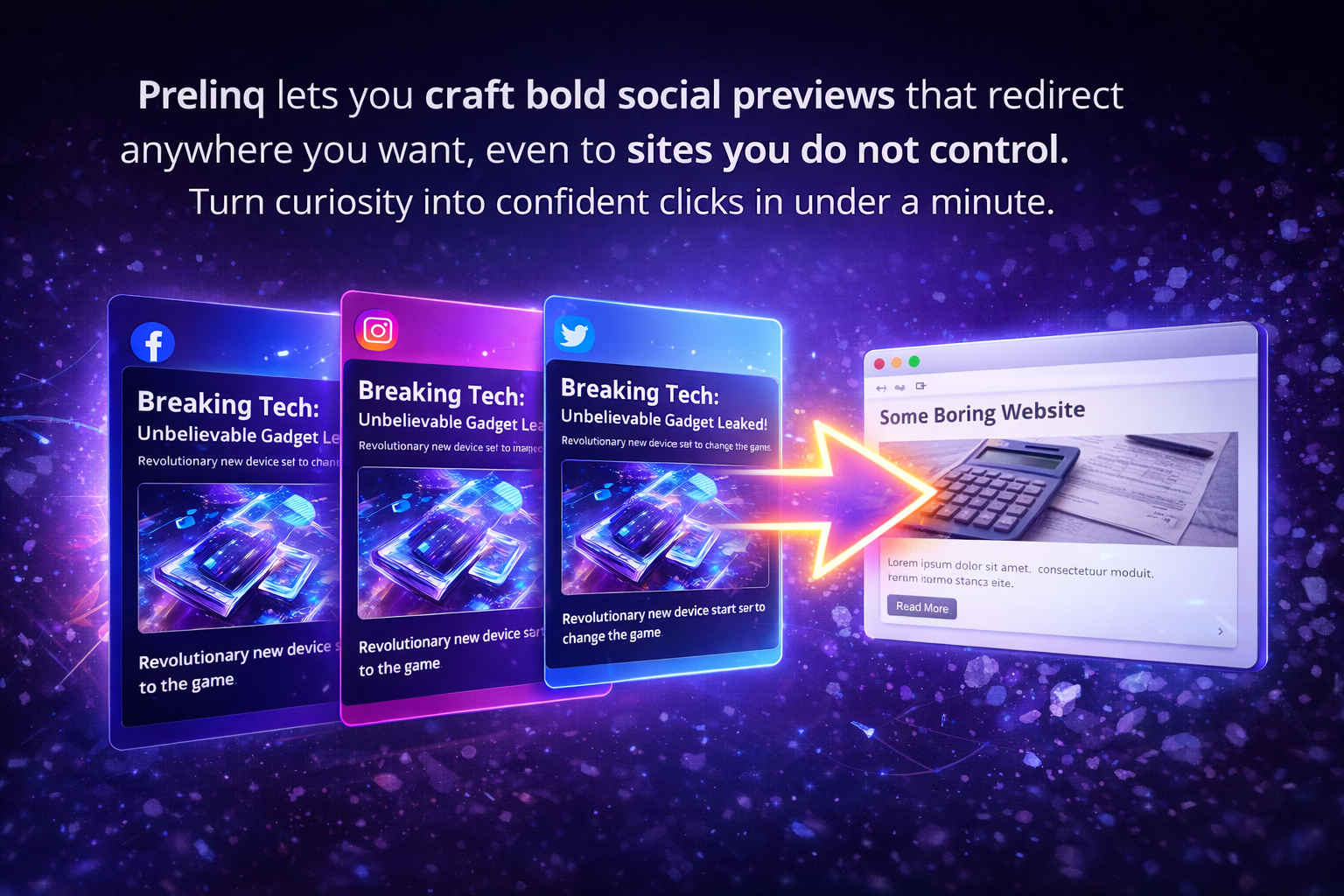
Choose a destination, upload a hero image or gif, and shape the story you want your audience to see. Prelinq hosts the preview, then redirects instantly to the original URL.
Pick the destination
Paste any URL — we auto-detect the page's existing title, description, and image.
Design the card
Write your own copy or let AI suggest click-worthy titles and descriptions.
Share everywhere
Use one Prelinq link across X, LinkedIn, Discord, Reddit, Bluesky, and more.
Track Performance
Last 30 days
Shared On
Top Countries
Devices
Insights
See what's working. Double down.
Track clicks, referrers, countries, and devices for every Prelinq. Compare previews to learn which messages earn clicks. Business adds time-series charts and CSV exports for campaign reporting.
After you've posted
Update a Prelinq you’ve already shared.
Change your image, title, or description while keeping the same Prelinq URL and destination. Preview editing is included on Pro and Business.
This works for links you originally shared through Prelinq. Existing social cards may keep the old preview until the platform refreshes its cache; sharing again does not guarantee a refresh. Learn about platform caches.
Included on Pro and Business.
You share the Prelinq link
It carries the card you built and forwards to the real page.
You spot the problem
Typo in the headline, the wrong image, or an offer that changed after you posted.
You edit the Prelinq
Change the title, description, or image. The destination URL stays exactly where it was.
The next scrape serves the new card
Platforms see the updated preview when they fetch the link again.
Where people start
Find the one that sounds like your week
Most people arrive here mid-problem rather than shopping for a tool. Whichever of these you showed up with, Prelinq covers it.
You need to know it'll look right before you post
High-stakes shares where a broken card is worse than not posting. Client campaigns, launch announcements, anything going out to a list.
Check any URL's real tags before it goes anywhere
See the same link rendered as X, LinkedIn, Discord, and Facebook cards
Catch the image and title problems that quietly downgrade a card
Your shared Prelinq needs an update
For Prelinq links you have already shared: refresh the message for an affiliate offer, partner page, or third-party article.
Edit your Prelinq on Pro or Business
Keep the same shared URL and destination
Updated cards appear when the platform refreshes its cache
You share constantly and want to know what works
Volume sharers running the same link across channels: affiliate marketers, newsletter writers, community and social media managers.
Run several previews at one destination and compare them
Track clicks, referrers, countries, and devices per link
Export the raw numbers when you need to report on a campaign
Pricing
Start for free, upgrade when it clicks.
Keep your links active and your previews polished.
Starter
Get started with custom social previews.
- 2 active Prelinqs
- Links expire after 7 days
- 7-day analytics dashboard
- QR code per Prelinq
- 1 MB image uploads
- OG metadata auto-fill
- Unlimited redirects
Pro
For creators and marketers who share links regularly.
- 25 active Prelinqs
- Links never expire
- 30-day analytics dashboard
- QR code per Prelinq
- Duplicate Prelinqs
- 5 MB image uploads
- Edit Prelinqs after creation
- Custom expiration dates
- OG metadata auto-fill
- AI title & description suggestions
- Unlimited redirects
Business
For teams and power users running campaigns.
- Unlimited active Prelinqs
- Links never expire
- 90-day analytics with time-series charts
- CSV analytics export
- QR code per Prelinq
- Duplicate Prelinqs
- 20 MB image uploads
- Edit Prelinqs after creation
- Custom expiration dates
- OG metadata auto-fill
- AI title & description suggestions
- AI Audience & Angle Engine (5 variants)
- Unlimited redirects
- Offer rotation & traffic splitting (5 destinations)
- Custom domains Soon
Frequently asked questions
Everything you need to know
No ownership required. Prelinq works for any URL on the internet — your own site, an affiliate product, a YouTube video, a news article, or a partner page. You create the preview wrapper; the original site stays completely unchanged.
Open Graph (OG) previews are the rich cards you see when sharing links on social media. They include a title, description, and image. Prelinq lets you customize these previews even for content you don't own.
Absolutely! That's exactly what Prelinq is built for. You can create custom social previews for any URL — partner sites, affiliate products, articles, tools, videos — anything. You control how the link looks when shared, then we redirect visitors to the actual destination.
Yes. Prelinq generates valid Open Graph metadata that LinkedIn reads reliably. LinkedIn renders a compact card with your title and image side by side. LinkedIn caches link previews, so edits may not appear on existing cards until it fetches the link again.
Yes. Prelinq generates Twitter Card meta tags alongside standard Open Graph tags, so your link renders a large image card on X. Note: X may suppress cards for certain account types or links flagged by their system — that is an X-side restriction, not a Prelinq limitation.
Prelinq works everywhere that reads Open Graph metadata: Facebook, Discord, Reddit, Bluesky, Threads, Slack, iMessage, WhatsApp, Telegram, Notion, Microsoft Teams, and more. Card appearance and availability depend on each platform.
Yes, if you originally shared a Prelinq link. On Pro and Business, you can edit its title, description, and image while keeping the same URL. Existing cards may show the old version until the platform refreshes its cache. Prelinq cannot replace the preview of an original destination URL you already posted.
Yes! You can create a Prelinq in 60 seconds without signing up using our free playground. The Starter plan includes 2 active Prelinqs (with 7-day expiration) at no cost. Upgrade to Pro or Business when you need more links, longer expiration, or advanced features like editing and analytics.
Generic link previews often have poor images, boring titles, or no preview at all. Prelinq lets you craft compelling, scroll-stopping previews with eye-catching images and persuasive copy (written by you or our AI). Compare click data across your previews to see which message works best for your audience.
Most link shorteners just create a short URL. Prelinq creates a custom social preview card that makes your links visually compelling. We also include AI copywriting, analytics, and the ability to edit your previews after sharing.
Yes! Every Prelinq includes analytics showing clicks, platforms, and geographic data. Starter users get 7 days of analytics, Pro gets 30 days, and Business gets 90 days of historical data.
We show social media bots your custom preview (so the card renders beautifully), then instantly redirect actual visitors to your destination URL. The redirect is transparent and fast — users barely notice it.
Create a preview you’re proud to share.
Choose your image and copy, check the card, and share your link. Try the playground without signing up.
Create your free preview